Reservations & POS
Confirm the source of table availability, menu data and order acceptance. Existing reservation or POS connections require supported access and agreed field mapping.

Trikon for restaurants
Two guest journeys. One familiar conversation. Help guests reserve a table or order directly from your restaurant, with availability, menu updates and staff handoffs built around your setup.
Date, time, party size, an available slot and a booking confirmation.
A live menu, pickup or delivery, payment and an order confirmation.
Journey 01 / Dine in
Guests choose a date, time and party size inside WhatsApp. The flow checks the restaurant’s configured availability and offers an alternative if the requested time is full.
Ask for the date, preferred time and number of guests.
If 7:30 pm is full, offer another available time such as 8:00 pm. The guest chooses whether to accept.
Once the guest books and the reservation is accepted, send a confirmation with date, time, party size and restaurant details.
Booking conversation
A table for 4 this Saturday at 7:30 pm, please.
7:30 pm is full. We can offer 8:00 pm for 4 guests. Would you like to book?
Yes, book 8:00 pm.
Booking confirmed: Saturday, 8:00 pm · 4 guests. Your confirmation includes the restaurant’s location and contact details.
An AI phone assistant can collect the same booking details and use the same availability as WhatsApp, subject to a supported shared reservation integration. Confirm capacity rules, concurrent bookings and staff handoff before launch.
Journey 02 / Order direct
Guests browse the restaurant’s live menu, choose their dishes and review their order in WhatsApp. They select pickup or delivery, share their location for delivery, then pay through the configured payment flow.
The live menu reflects the configured menu source. POS synchronization, payment options and delivery coverage depend on the restaurant’s systems and agreed integration.
Browse. Choose. Make it yours.
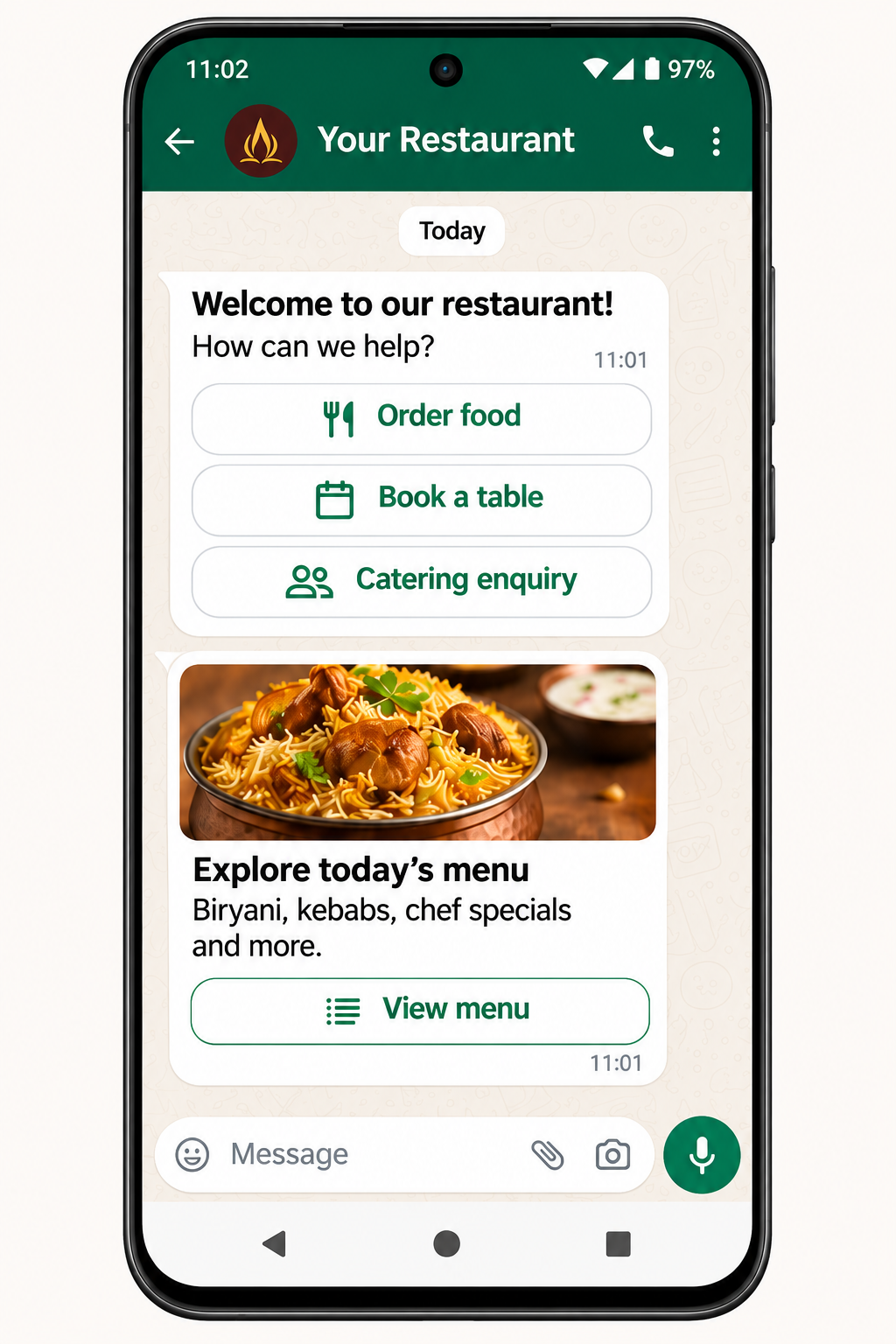
Step 01
Give guests a clear choice: order food, book a table or ask about catering. Your menu is one tap away.
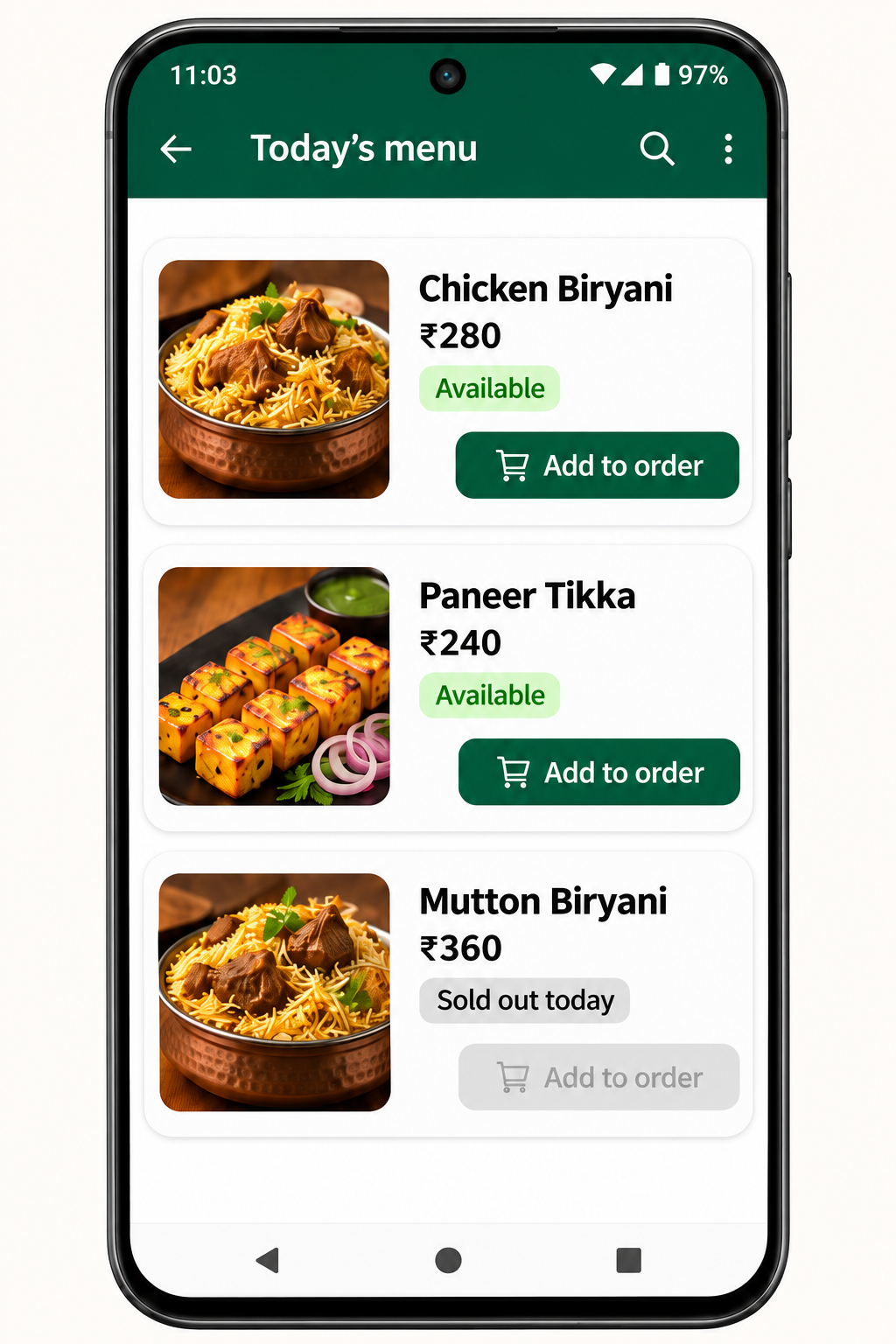
Step 02
Let guests explore available dishes and add their favourites. Sold-out biryani stays visible but cannot be added to an order.
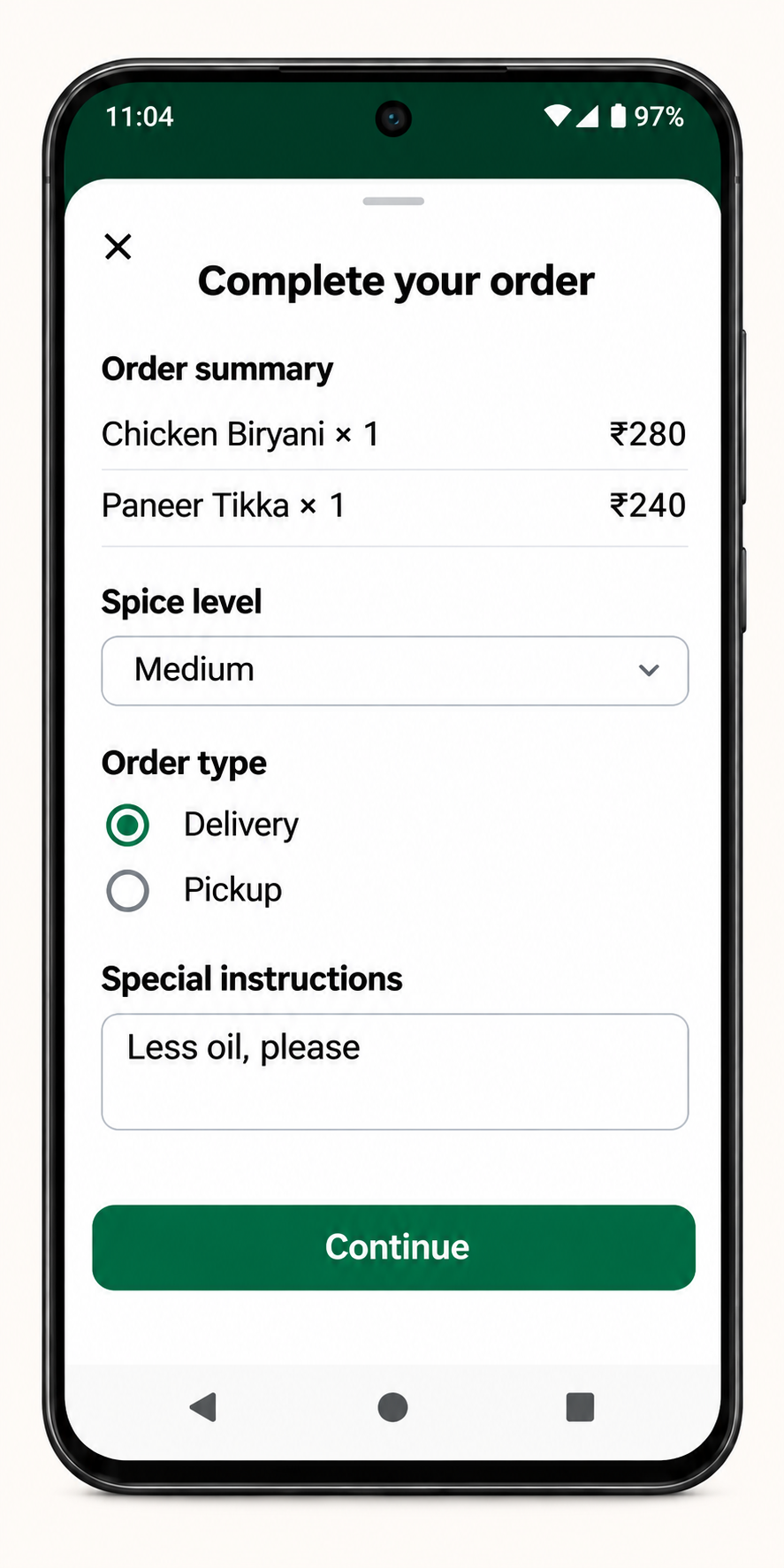
Step 03
Guests review their dishes, choose pickup or delivery, set their spice preference and add instructions before continuing.
Kitchen availability, reflected in the menu
Staff mark biryani as sold out in the configured menu management system. The WhatsApp menu then shows it as unavailable and prevents guests from adding it to a new order. Other available dishes remain orderable.
Define how updates reach WhatsApp and how stock is rechecked before payment. An item already in a cart should be revalidated before the order is accepted; POS stock sync and update timing depend on the integration.
Menu availability
Guests see “Sold out today”.
Keep the delivery details, payment step and confirmation in one clear journey. Pickup guests skip the delivery address step and receive collection instructions instead.
01
Guests share their delivery location, add address details and confirm where the order should go. Delivery eligibility, fees and coverage follow the restaurant’s configured rules.
02
Show the order total and any configured delivery charges. The guest pays using the connected payment flow; payment methods and any checkout link depend on the provider.
03
After payment is confirmed and the order is accepted under the restaurant’s rules, send the order reference and next steps. Status updates and delivery estimates depend on staff updates or connected systems.
Location. Payment. Confirmation.
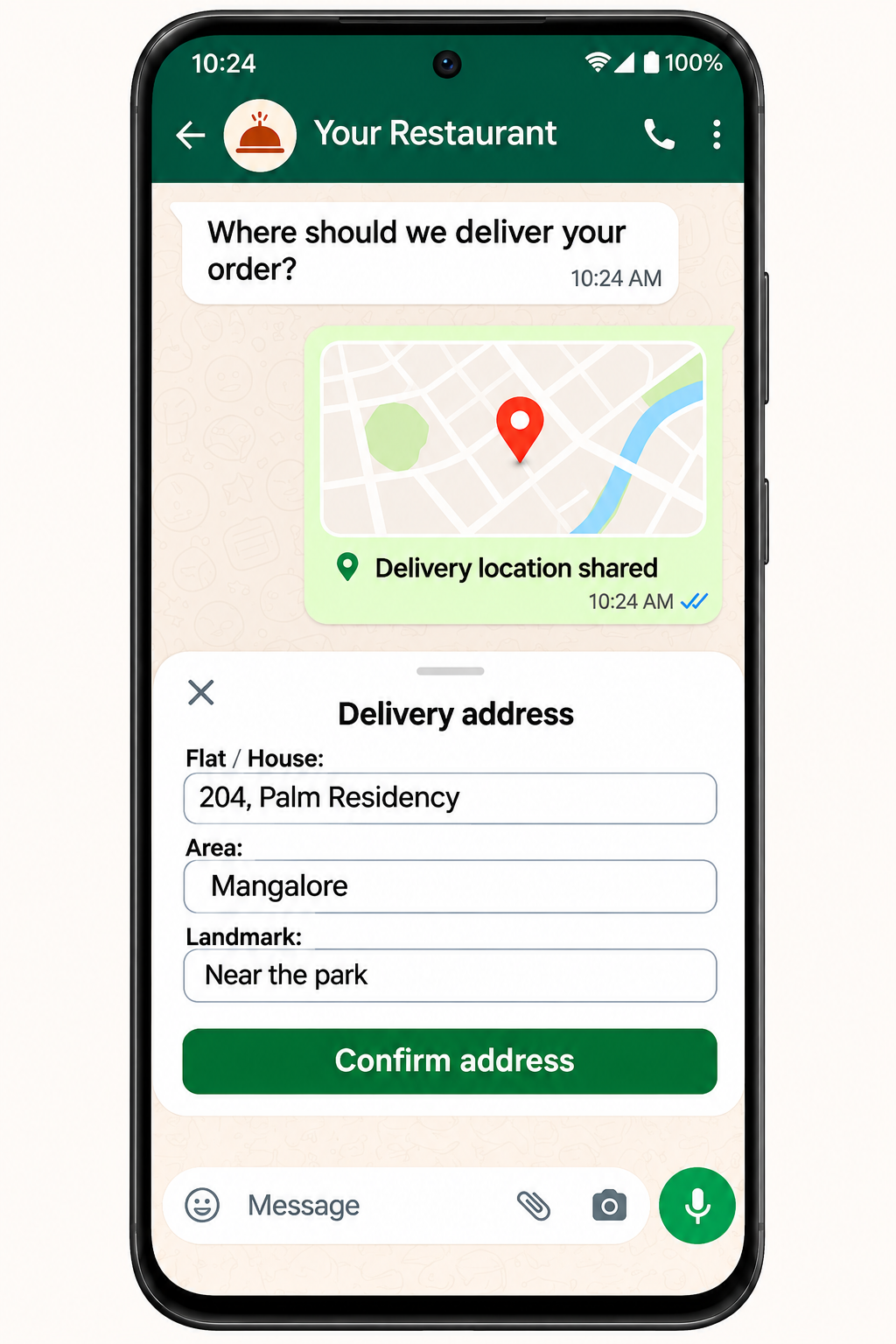
Step 04
Guests share their location and confirm the full address, including house number and a useful landmark. Delivery coverage follows your restaurant’s configured rules.
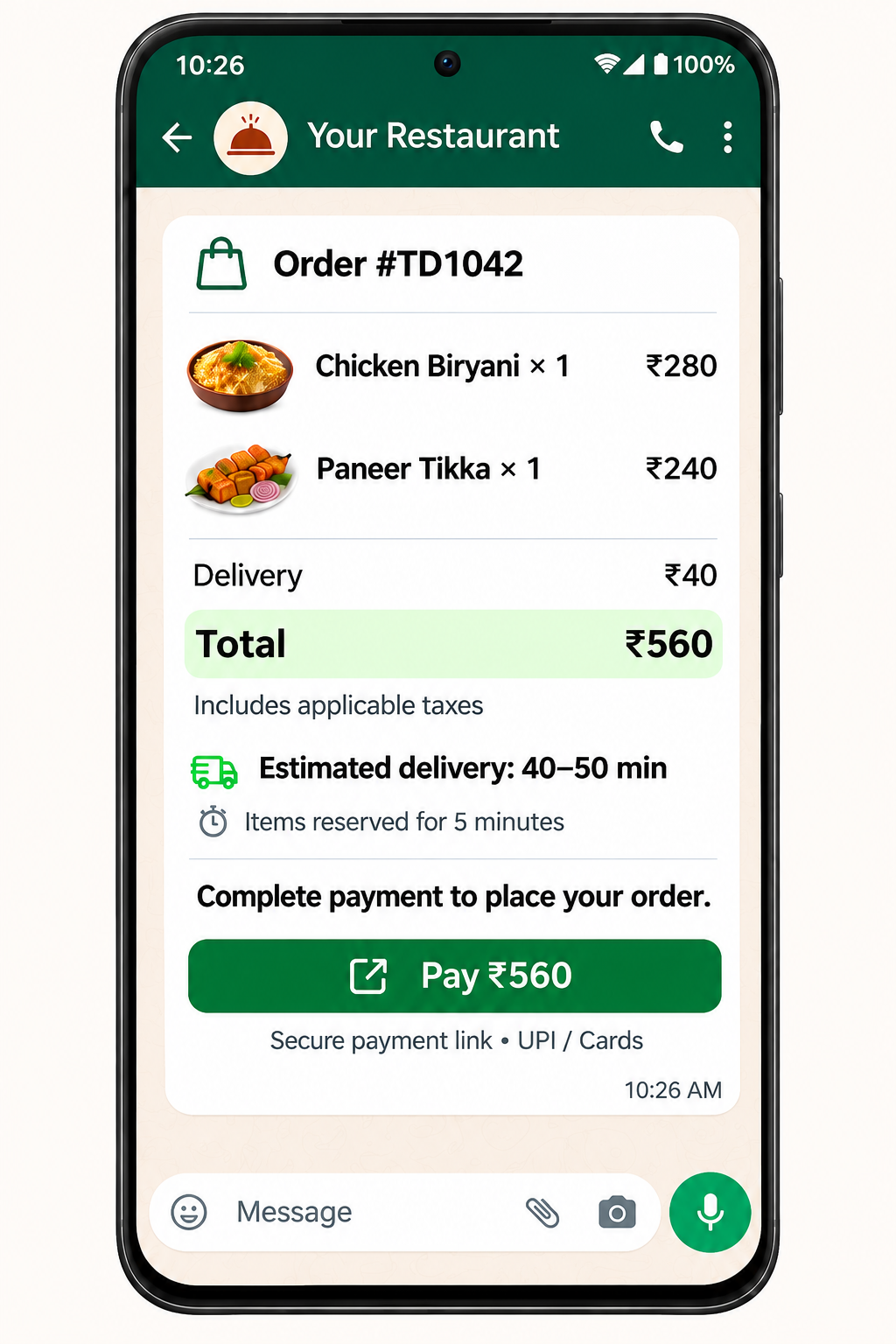
Step 05
Show the dishes, delivery charges and final total before guests continue to your configured payment flow. Available payment methods depend on your provider.
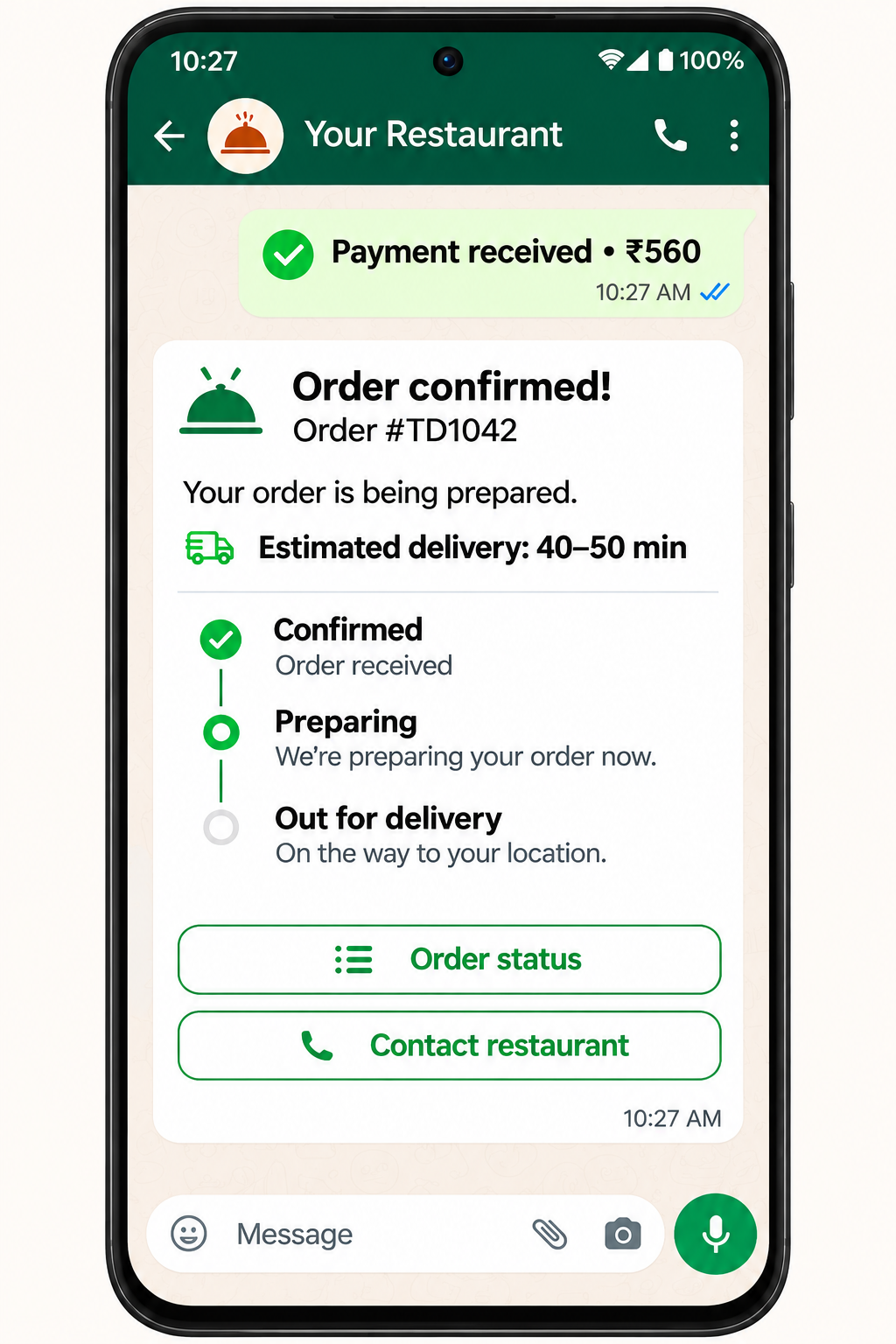
Step 06
Once payment is confirmed and the restaurant accepts the order, send the confirmation and next steps. Preparation updates and delivery estimates follow staff updates or connected systems.
Confirm the source of table availability, menu data and order acceptance. Existing reservation or POS connections require supported access and agreed field mapping.
Agree on the provider, payment confirmation signals and handling of failed or pending payments. Payment collection and refunds follow the restaurant’s configured flow.
Set collection instructions, delivery areas and staff responsibilities. Delivery-provider integrations, tracking and estimated arrival times depend on the systems available.
We confirm supported integrations and operating rules during setup.
Bring your reservation process, menu source, payment provider and delivery setup. We’ll map the two journeys with your team.