Before arrival
Share booking details, arrival instructions, check-in times, and answers to common questions.

Trikon for Hotels
Turn room enquiries into a guided booking journey. Help guests choose a stay, share their details, and stay in touch with your hotel from arrival to checkout.
Walk through a guest journeyYour hotel concierge
WhatsApp booking preview
Welcome to your next getaway. When would you like to stay?
Two guests, two nights. Do you have a room with breakfast?
Explore your stay
Room details · amenities · available dates
Sample conversation. Live inventory depends on your booking integration.
Room reservations
Hello! I’d like a room for two guests, 10–12 December.
Welcome! Let’s find your stay. Choose your dates and the number of guests.
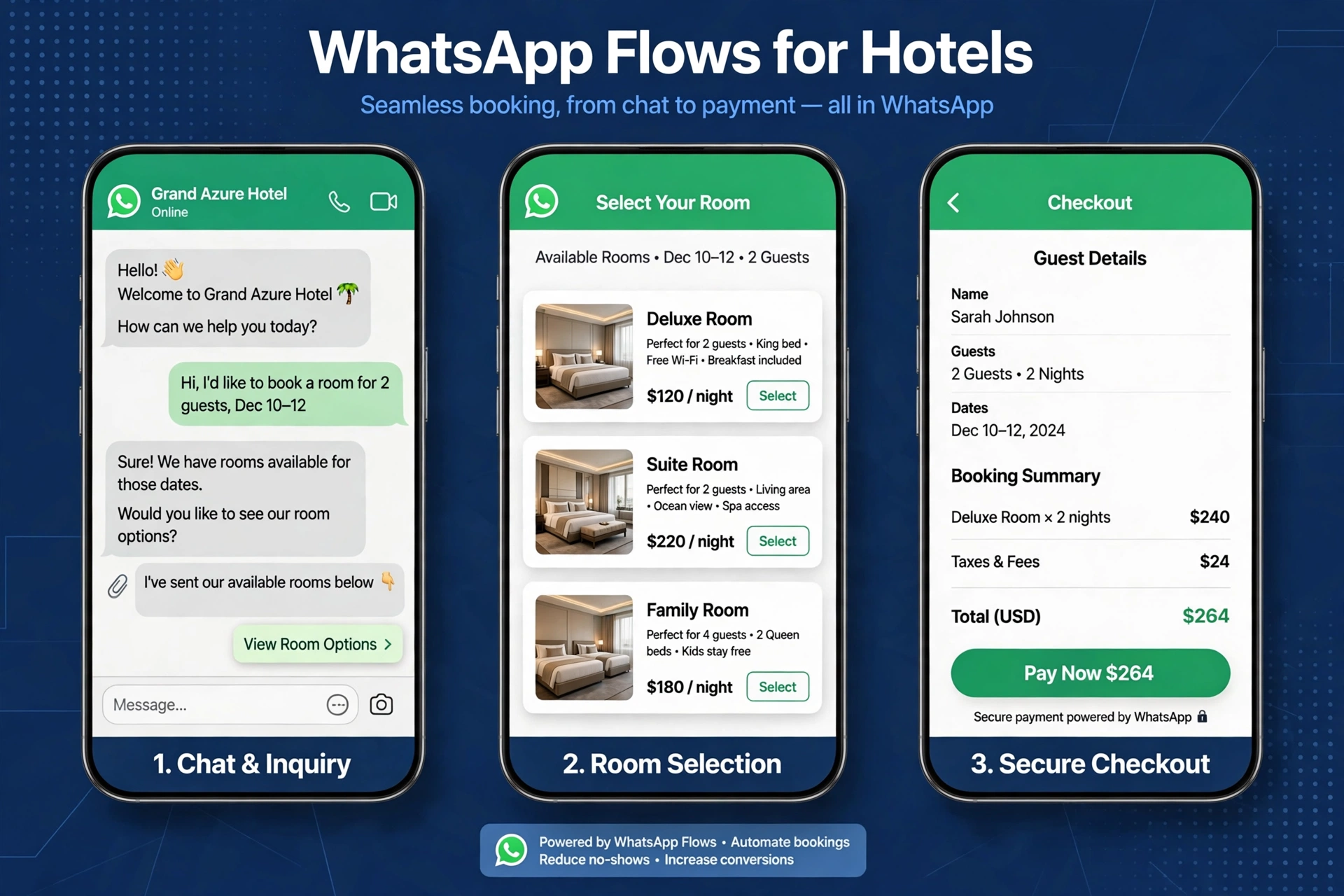
Share booking details, arrival instructions, check-in times, and answers to common questions.
Capture housekeeping, dining, and front-desk requests and route them to the right team.
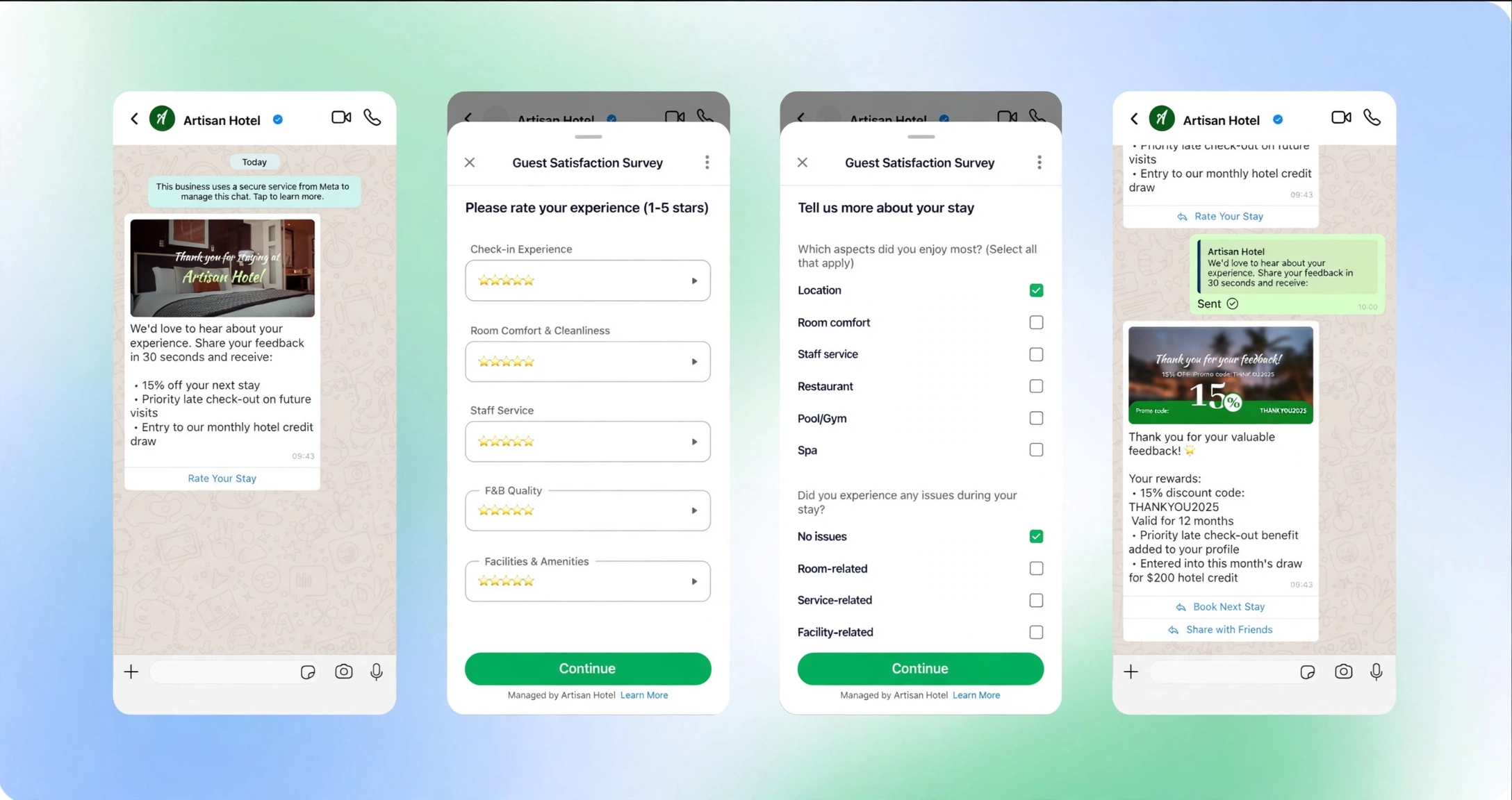
Invite honest feedback, follow up on service issues, and share relevant return-stay offers with guest permission.
Collect ratings for room comfort, cleanliness, food, and service in a structured WhatsApp survey. Send comments to the responsible team and offer a clear route to personal assistance.
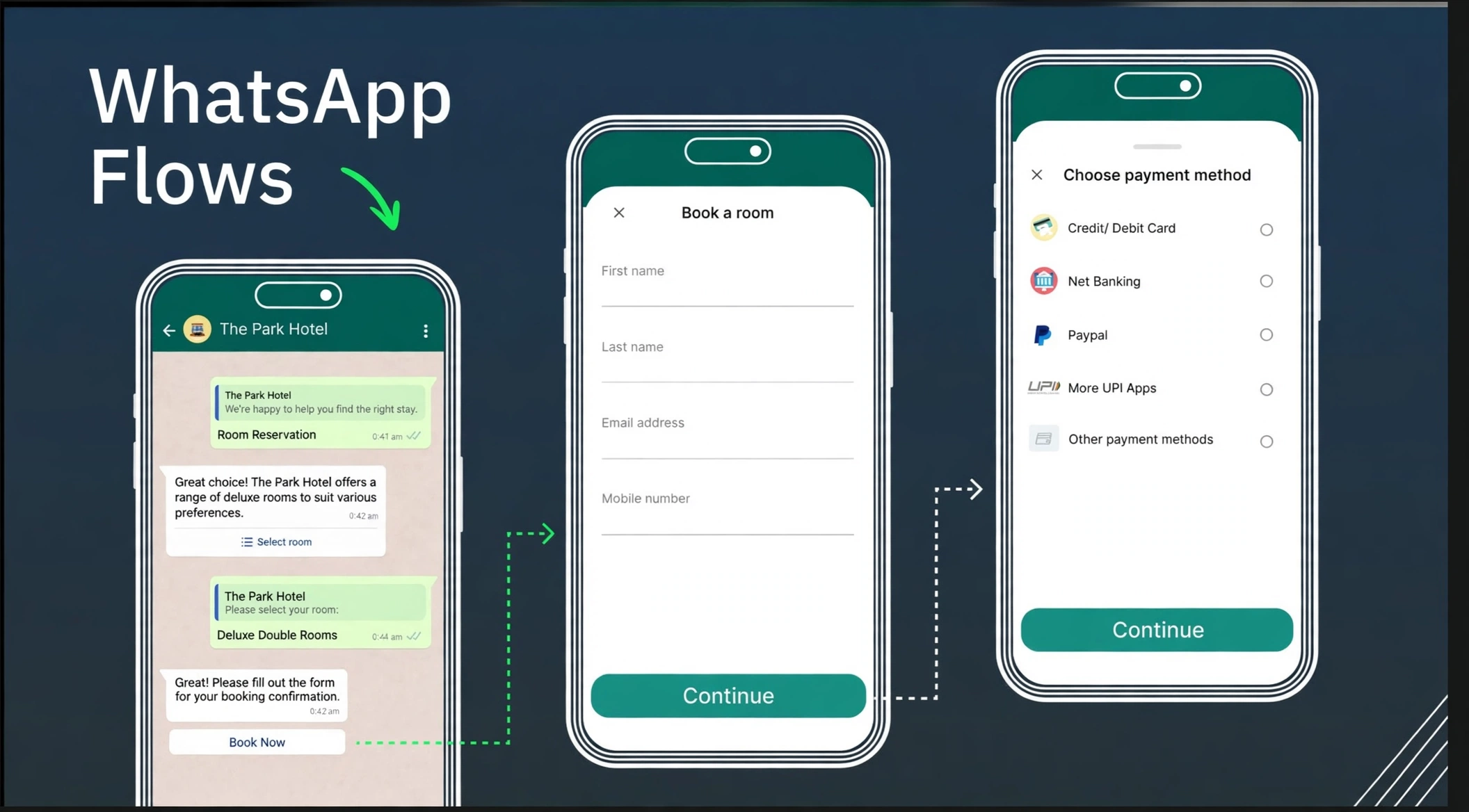
Collect guest contact details, show a booking summary, and guide guests to the hotel’s configured payment provider. Room inventory, payment confirmation, deposits, and refund handling depend on your property management system and provider setup.
Add AI phone answering for hotel FAQs, reservation enquiries, and callback requests. Connect live availability where supported, and hand exceptions to your reservations team.
Explore AI voice agentsGuests share dates and guest count, review room options, submit contact details, and follow the hotel’s configured payment flow. A confirmation is sent once the hotel’s booking system confirms the reservation.
Availability, room rates, inventory updates, and reservation creation depend on supported PMS, channel manager, or booking-engine integrations. Trikon reviews your setup before defining the live booking flow.
The flow can direct guests to your configured payment provider. Payment methods, deposits, refunds, and whether checkout opens externally depend on your provider, market, and hotel policies.
AI phone answering can handle approved hotel information, collect booking preferences, and arrange staff callbacks. Access to live room inventory and confirmed phone bookings requires an agreed integration.
Yes. A WhatsApp survey can capture ratings and comments about the stay and route issues to staff. Any return-stay offer is defined by the hotel and should not depend on a positive rating.
Guest requests can be routed to the front desk or reservations team for clarification, exceptions, complaints, and personal assistance. Routing and operating hours are configured around your team.
Walk through your room inventory, guest requests, payment setup, and staff handoffs with the Trikon team.